

- Excellent Multilingual Text Rendering: Supports high-precision text generation in multiple languages including English, Chinese, Korean, Japanese, maintaining font details and layout consistency
- Diverse Artistic Styles: From photorealistic scenes to impressionist paintings, from anime aesthetics to minimalist design, fluidly adapting to various creative prompts
Qwen-Image Native Workflow Example
The models used in this document can be obtained from Huggingface or Modelscope1. Workflow File
After updating ComfyUI, you can find the workflow file in the templates, or drag the workflow below into ComfyUI to load it.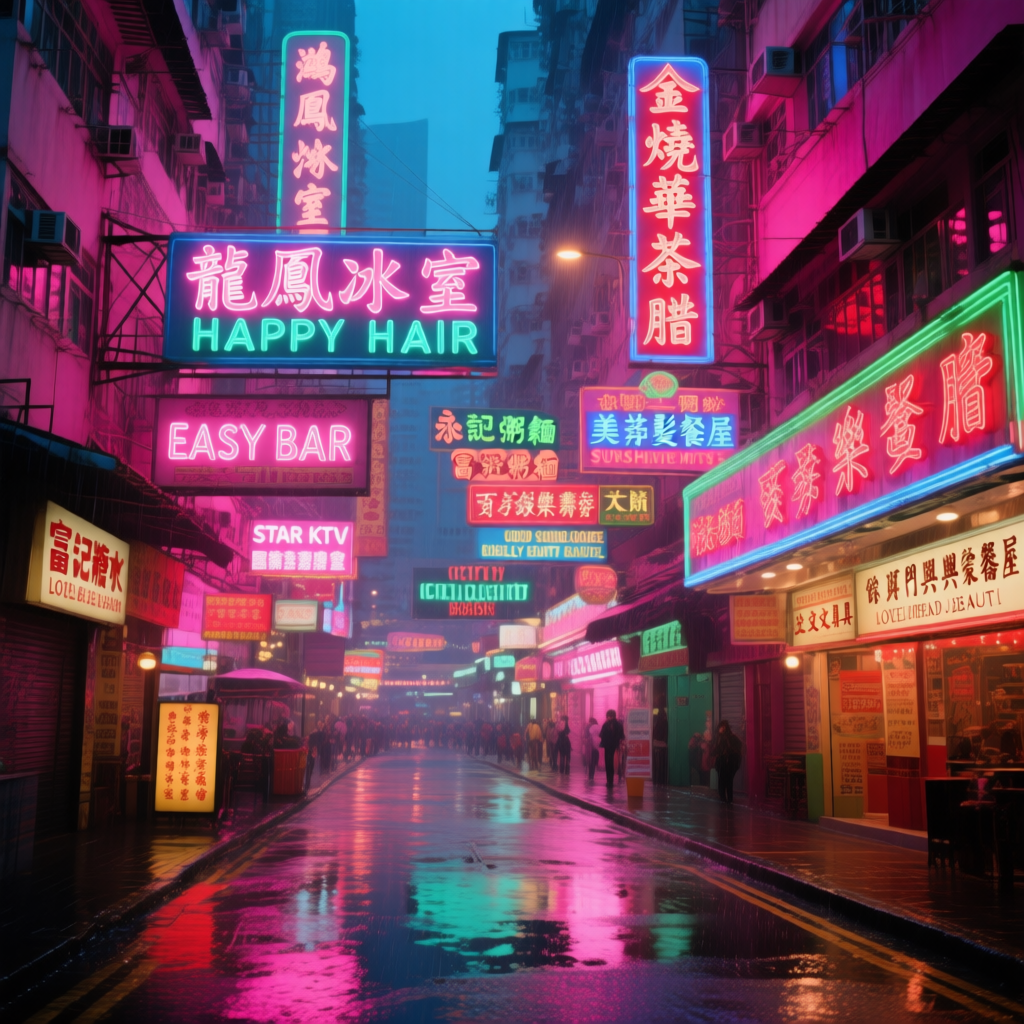
Download JSON Workflow
2. Model Download
You can find all the models on Huggingface or Modelscope Diffusion Model Text Encoder VAE Model Storage Location3. Complete the Workflow Step by Step
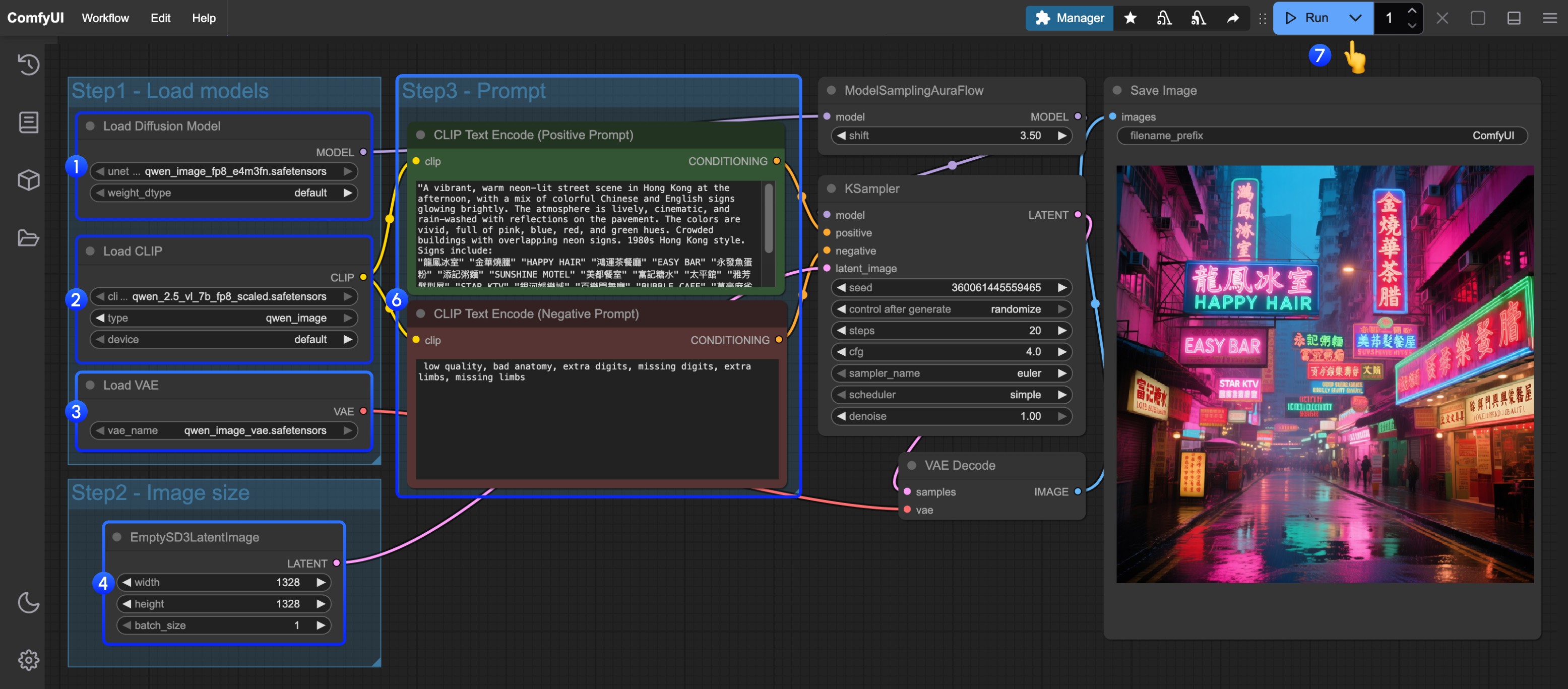
- Load
qwen_image_fp8_e4m3fn.safetensorsin theLoad Diffusion Modelnode - Load
qwen_2.5_vl_7b_fp8_scaled.safetensorsin theLoad CLIPnode - Load
qwen_image_vae.safetensorsin theLoad VAEnode - Set image dimensions in the
EmptySD3LatentImagenode - Enter your prompts in the
CLIP Text Encoder(supports English, Chinese, Korean, Japanese, Italian, etc.) - Click Queue or press
Ctrl+Enterto run